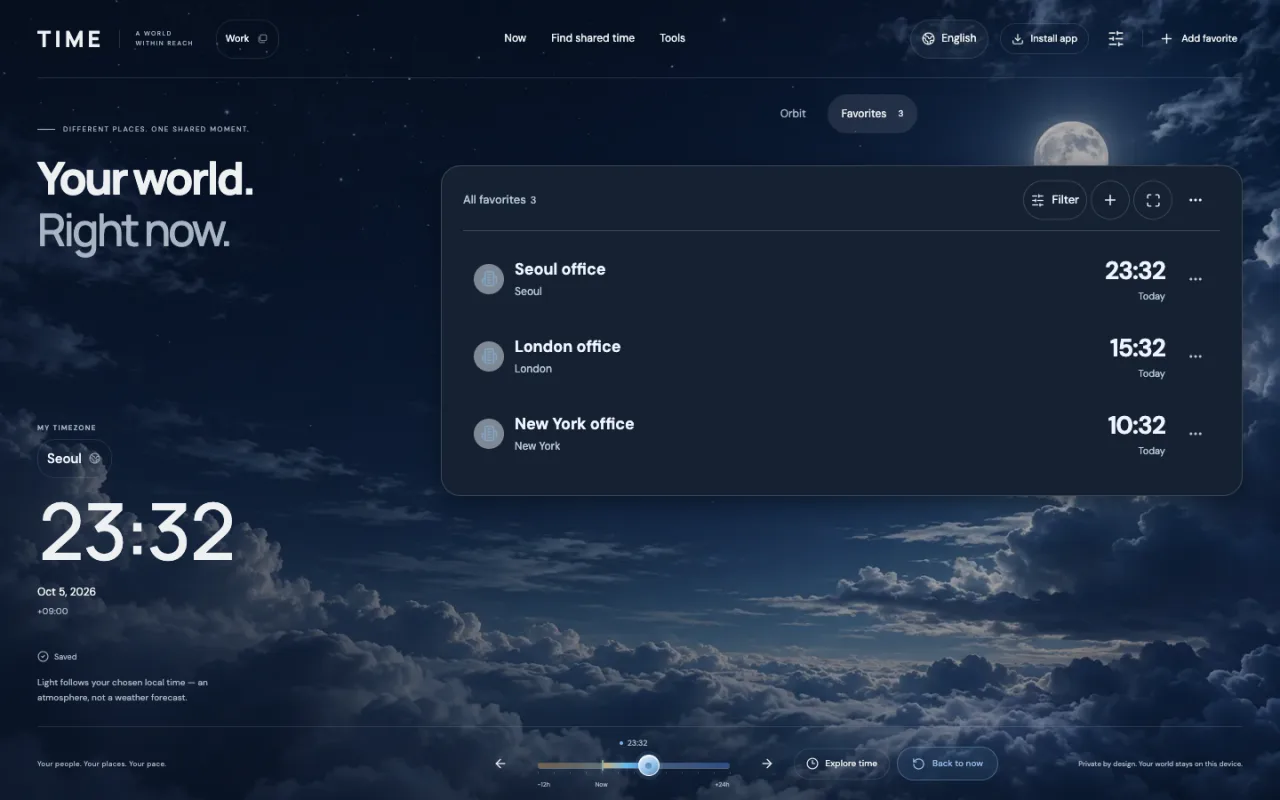
When is this useful for engineers?
An error log may show 14:32 UTC while an office’s deployment record shows 10:32 local time. The clock numbers differ, but with the date and offset they can represent the same moment. Time helps you read that moment in the time zones you use.
- When comparing logs and deployment records, convert each timestamp to the same reference rather than adding and subtracting offsets in your head.
- When handing over to another office, share the local date and time they will recognize. Save your offices once to reuse them instead of searching again.
- Around midnight or daylight-saving changes, check the selected date and city time zone: another location may be on the previous or following day.
Paste the recorded timestamp
Copy only the timestamp from the log or record. Open the UTC / timestamp converter in Tools, paste the value and select Convert. Results show your profile’s reference time zone and its saved favorites.
- Try 2026-10-05T14:32:00Z, an ISO timestamp with an explicit UTC marker.
- Read each result’s local date as well as its clock time.
- Use Copy result to share them, or Show on the orbit to explore that instant in the app.
One moment, different local clocks
These are all the same moment on 5 October 2026. Different local clock numbers do not mean different events. The offsets in this table apply to this example date.
| Time zone | Local clock time | UTC offset on this date |
|---|---|---|
| UTC | 14:32 | +00:00 |
| Seoul | 23:32 | +09:00 |
| London | 15:32 | +01:00 |
| New York | 10:32 | −04:00 |
Save the time zones you check often
Use your existing profile, or create a separate Work profile. Add offices such as Seoul, London and New York as organizations or places and select each city’s time zone. The converter will include those saved favorites next time.
The same workflow also helps with other dated records or a timestamp someone sends you. Your saved time zones are useful beyond engineering work.
- Open the profile menu only if you want a separate Work profile.
- Add your offices as favorites and choose Asia/Seoul, Europe/London or America/New_York as appropriate.
- Select that profile before opening the converter. It uses the current profile’s time zone and favorites.
Check the date and UTC offset
Z means UTC. A numeric offset such as -04:00 also identifies the instant when included with the date and time. If a record has neither, first confirm which time zone the source used; the converter does not accept an unqualified local timestamp.
Check the result’s calendar date: conversion can move it to the previous or next day. For cities with daylight saving, use a city-based time zone and the relevant date rather than memorizing a fixed offset.