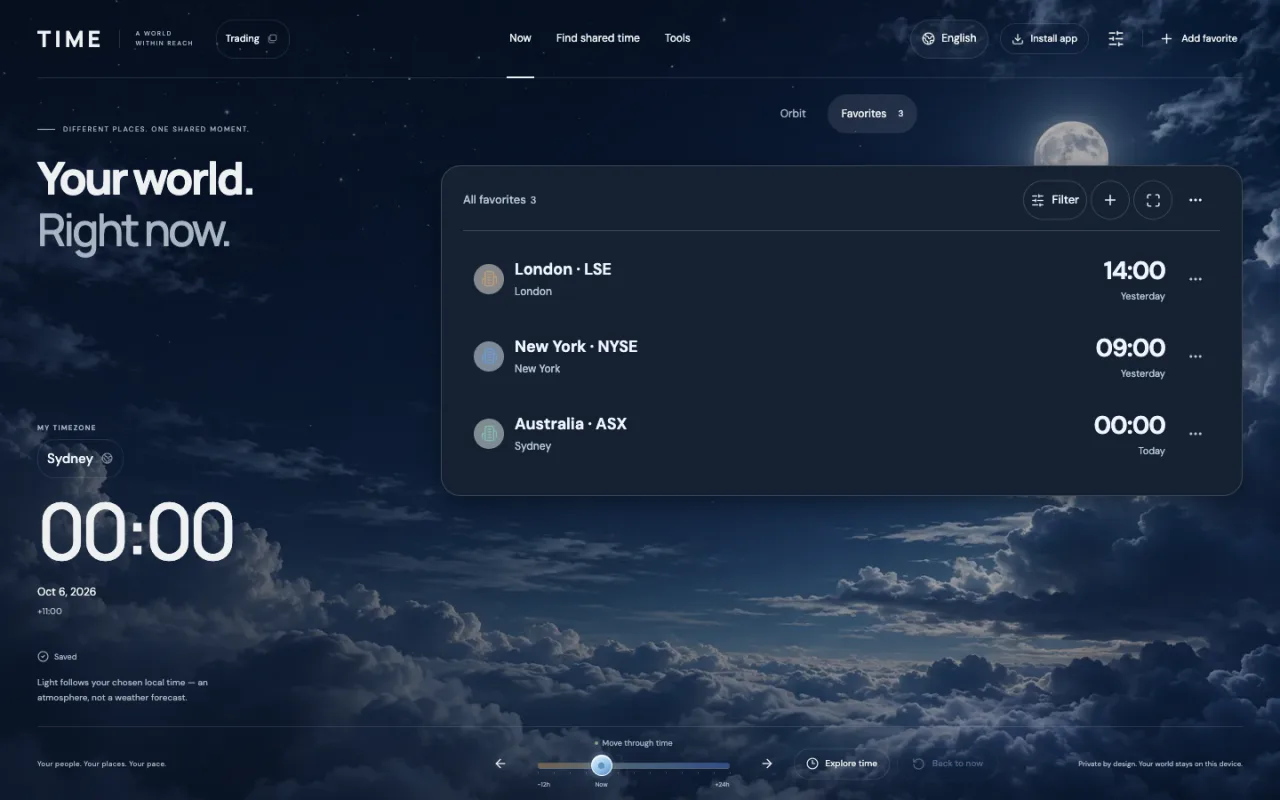
Create a dedicated trading profile
Keep your markets separate from work and friends. A profile stores its own favorites, reference time zone, clock format and comparison preferences.
- Open the profile menu and create a new profile named Trading.
- Choose your reference time zone, such as Australia/Sydney.
- In Settings, save the hours when you can watch the markets. An overnight range such as 22:00–03:00 ends the following day.
Save each market in its own local time
Add each market as an organization or place. Search for London, New York or Sydney and select the corresponding time zone. Enter opening and closing hours in the market’s local time, not your own time.
| Market / local time zone | Regular local hours | Example in Sydney |
|---|---|---|
| LSE · London | 08:00–16:30 | 5 Oct 18:00 → 6 Oct 02:30 |
| NYSE · New York | 09:30–16:00 | 6 Oct 00:30–07:00 |
| ASX · Sydney | Approximately 10:00–16:00 | 5 Oct 10:00–16:00 |
- Save LSE in Europe/London with 08:00–16:30.
- Save NYSE in America/New_York with 09:30–16:00.
- Save ASX in Australia/Sydney with approximately 10:00–16:00.
Find overlapping hours for two markets
Open Find shared time and choose the markets in Compare. Turn off Include my hours to see market overlap alone; turn it on to also intersect your own available hours.
- Choose LSE and NYSE as comparison targets.
- For the 5 October market-date example, select 6 October 2026 as the date in a Sydney-based profile.
- The shared window is 00:30–02:30 in Sydney: two hours. The meeting duration selects a slot within that window.
Check daylight saving and the official calendar
Different countries change clocks on different dates. Use city-based IANA time zones rather than fixed UTC offsets; a market’s local opening time can stay the same while its time in your profile changes.
For the markets’ local trading date of 26 October 2026, London and New York overlap from 00:30–03:30 on 27 October in Sydney: three hours. These examples convert standard sessions; they do not establish that an exchange is open on an arbitrary date.
Return to your trading profile and keep a backup
Switch back to the Trading profile to reuse your saved markets and comparison settings. After setup, saved data can be used offline once the app has been loaded and cached.
Profiles and favorites are saved in this browser’s IndexedDB. There is no account synchronization. Export a JSON backup from Settings before changing browsers, devices or clearing site data.